Mods and Custom Content

Gameplay Mods for The Sims 4

Add new activities, settings and gameplay mechanics. Pick a mod, check its requirements and download the creator’s original files.

42 downloads · Page 2

Page 2 of 2

Everyday Life and Work · continued

11 downloads

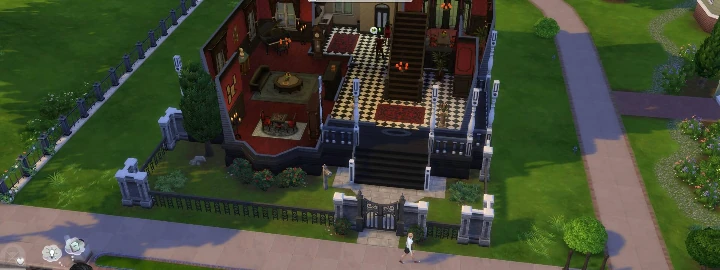
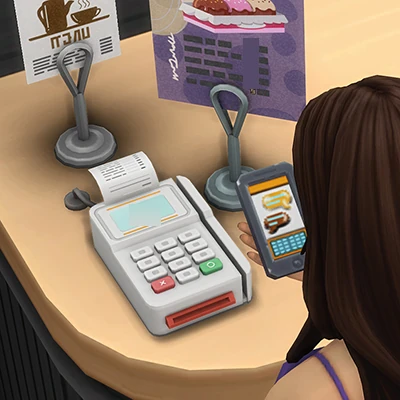
A payment terminal and checkout counter, shown in a preview of the "Functional Payment Terminal" mod.
Everyday Life and Work

Functional Payment Terminal

Adds a working payment terminal for a Sim’s small business in Businesses & Hobbies.

Details and installation

What changes in the game. The SIXAMcc terminal works like the ticket machine from Businesses & Hobbies. Place it near the counter of a café or another small business. It has a keypad, a contactless payment symbol and a receipt. A decorative version is also included. The functional version requires Businesses & Hobbies.

Requirements. Requires the Businesses & Hobbies expansion.

Compatibility. This card references game version 1.119.109; current compatibility has not been verified.

This download includes all files in one ZIP. Extract it before installing.

Download ZIP953 KB

Creator: sixamcc

ZIP SHA-256 checksum

SIXAMcc_MyPurrfectCatCafe-Electronic-PaymentTerminal.zipb10c81b9afd407346fdcc690917328142591a016bea3062d21c43235d7416e89
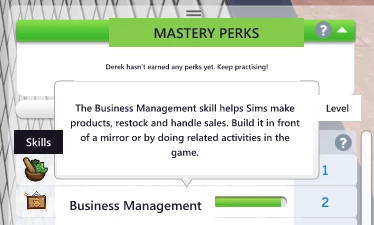
Business management skill perks, shown in a screenshot of the "Small Businesses Overhaul" mod.3.2.0.2
Everyday Life and Work

Small Businesses Overhaul

Modifies how small businesses operate and how stock for crafted items is replenished.

Details and installation

What changes in the game. Small Businesses Overhaul changes how sales and inventory restocking for crafted items are managed. For instance, you can set up a small shop for your Sim’s creations and keep track of the stock on the shelves.

Requirements. Requires Lot 51 Core Library 1.37.1 or later. The Restock and Sale module requires Get to Work.

Installation. Copy the contents of Mods to your game’s Mods folder. Pick any extras from Optional. Install Restock and Sale only if you own Get to Work, and keep all packages on the same version.

Compatibility. The entry lists game version 1.124.63; current compatibility has not been verified.

Extract the ZIP and copy the contents of Mods to your game’s Mods folder. Choose any extra modules from Optional. Restock and Sale requires Get to Work.

Download ZIP1.2 MB

Creator: Marquillo

ZIP SHA-256 checksum

small-businesses-overhaul-restocking-craftables.zipeb4551d9d2137694c80342e1e41bc105a1eab87215b040e70b630cf463b66b8b

Expanded Club Features — creator’s preview1.2.2
Everyday Life and Work

Expanded Club Features

Removes some of the limitations on club mechanics from the Get Together expansion pack. Provides additional options for managing club members, leadership, gatherings, and club points.

Details and installation

What changes in the game. This mod expands upon the club management features from Get Together, including gatherings, leadership, membership, and club points. For example, you can create a custom club narrative with more flexible rules. Some settings can be configured separately within the mod’s own menu.

Requirements. Get Together expansion pack; TS4-Library; S4CL.

Installation. Close the game. Unpack the ZIP file and follow the included instructions; the mod and all necessary libraries are contained within the archive. Do not unpack the .ts4script files.

Compatibility. Game version specified by the author: 1.108.329. Not tested in our own game.

A single ZIP file contains both the mod and the required libraries. Unpack the Mods and mod_data folders into The Sims 4 folder.

Download ZIP2.4 MB

Creator: Oops19

ZIP SHA-256 checksum

club-limits-sims4.zipd6431ff284f7dd00161ebe039703f9912b74394ce6cf98e3c48fc0961782324a

Managing Sims

9 downloads

Lot and Sim panel shown in a Control Any Sim Reborn gameplay screenshot.1.2.9
Managing Sims

Control Any Sim Reborn

Allows you to temporarily control a Sim outside of your active household and return to your own characters without needing to move anyone in or out.

Details and installation

What changes in the game. Control Any Sim Reborn lets you take temporary control of a Sim who lives outside your active household. For example, you could play through a scene as a neighbor and then return to your own characters—all without having to move anyone between households. Version 1.2.9 also fixes issues related to food-related actions.

Compatibility. The creator indicates support for game version 1.128.90. Later game updates have not been tested. Conflicts may occur with mods that alter autonomy or the selection of the active Sim.

This download includes all files in one ZIP. Extract it before installing.

Download ZIP46 KB

Creator: Apocrate_arto · original mod by TitanNano

ZIP SHA-256 checksum

ControlAnySimReborn.zipd059f40aec0637fa37388ecbc6023fe877d2b34cfdf68c5f2a4cbd0e4bd9b326

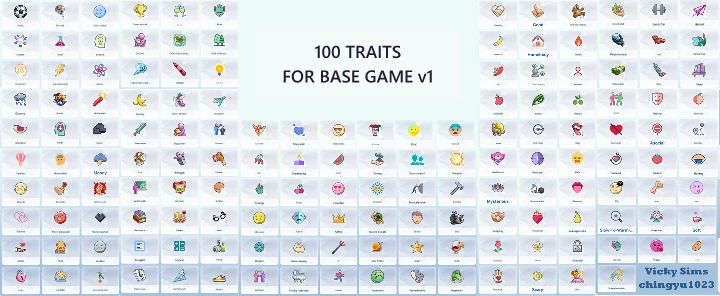
Trait icons from "The 100 Base Game Traits Pack."1.7
Managing Sims

The 100 Base Game Traits Pack V1

Adds over 100 traits to the Create-a-Sim (CAS) editor, covering emotions, social interaction, relationships, and Sim talents.

Details and installation

What changes in the game. This collection by chingyu allows for more precise character definition during creation: some traits describe sociability, while others relate to emotional responses, relationships, appearance, or talents. Each trait can influence a Sim's mood and behavior. The version provided here is for CAS; do not install the alternative "Reward Version" at the same time.

Compatibility. The entry lists game version 1.113.291; current compatibility has not been verified.

This download includes all files in one ZIP. Extract it before installing.

Download ZIP898 KB

Creator: Chingyu

ZIP SHA-256 checksum

chingyu_100TRAITSPACK_V1.7.zip962369dd661609555b657df3e4f22fa711d0f079bb4d4c6d2646384b80093dc9

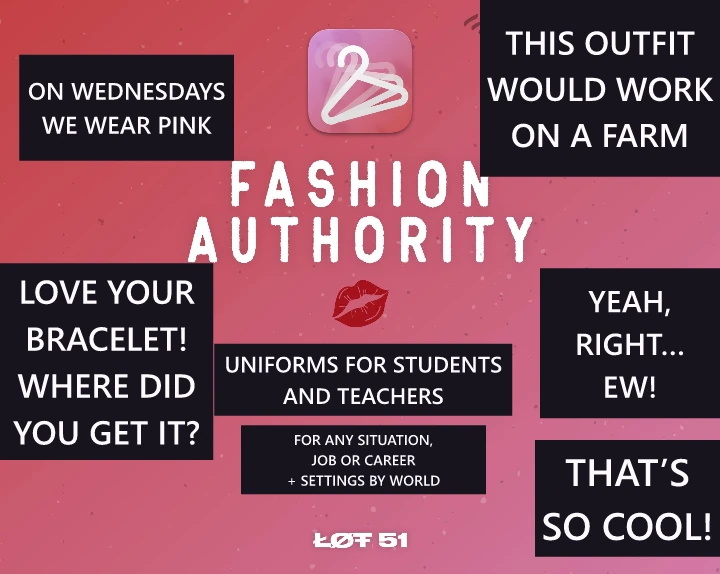
"Fashion Authority" — a mod for assigning uniforms to characters.2.5.2
Managing Sims

Fashion Authority

Allows you to assign uniforms and dress codes to characters based on their profession, role, or spawn location.

Details and installation

What changes in the game. Fashion Authority assigns clothing based on a character's profession, role, or where they appear. For example, you can pre-configure uniforms for specific jobs and apply them to any Sims who meet the defined criteria.

Requirements. Requires Lot 51 Core Library 1.27 or later.

Compatibility. The creator indicates compatibility with game version 1.129.39. Our in-game testing was not performed.

Extract the ZIP and copy the contents of Mods into the game’s Mods folder. The required add-ons are included.

Download ZIP1.6 MB

Creator: lot51

ZIP SHA-256 checksum

fashion-authority.zip7db22dc6650eec70baa9858c03dbcc0f1f2efa66dcb6d955808b7579178a082c

Height Diversity 0.4.0 — creator’s preview
Managing Sims

Height Diversity 0.4.0

Automatically assigns different heights to Sims, taking age and gender into account.

Details and installation

What changes in the game. Height Diversity assigns different heights to characters, taking age and gender into account. For instance, adult Sims in the same town may have noticeably different heights. These variations are visible in the Create-a-Sim editor; the mod does not affect infants, toddlers, or children.

Requirements. Requires the base game; script mods must be enabled.

Compatibility. Incompatible with other height-altering mods. Certain interactions may appear slightly off for Sims with significant height differences.

This download includes all files in one ZIP. Extract it before installing.

Download ZIP31 KB

Creator: Lyzer Vice

ZIP SHA-256 checksum

height-diversity-0-4-0.zip3c907f19574409ac915d5d81641dda977fff33d0c8585755a38ebfea947064f4

Straight to Pajamas v1.3.2 — creator’s preview
Managing Sims

Straight to Pajamas v1.3.2

After an evening bath or shower, the selected Sim will automatically change into their sleepwear.

Details and installation

What changes in the game. "Straight to Pajamas" automatically puts a Sim into their sleepwear after an evening bath or shower. For example, a character can head straight to bed after a shower without needing a separate command to change clothes. This feature is active between 8:00 PM and 5:59 AM.

Requirements. Base game required; script mods must be enabled.

Compatibility. The creator specifies game version 1.127.41.1030.

This download includes all files in one ZIP. Extract it before installing.

Download ZIP9 KB

Creator: SuoSoup

ZIP SHA-256 checksum

straight-to-pajamas-v1-3-2.zip0326bf689dbccb419ef7bcfc8138c743767ac619024e81de491ce59f1cf57fc8

Not Now, Stereo — creator’s preview
Managing Sims

Not Now, Stereo

Automatically turns off a home stereo system when no one is left in the room.

Details and installation

What changes in the game. You can select a delay—15 minutes, one in-game hour, or two in-game hours—via the stereo's menu, or disable the timer entirely. The setting is saved.

Requirements. Base game required; script mods must be enabled. XML Injector is not required.

Compatibility. The author specifies game version 1.128.90.1030. Sleeping Sims are also considered to be "in the room."

This download includes all files in one ZIP. Extract it before installing.

Download ZIP16 KB

Creator: SuoSoup

ZIP SHA-256 checksum

not-now-stereo.zip7e9fa604a68c6c605efb297995c91daf0ae238c4894a5cfa97f27826179587cc

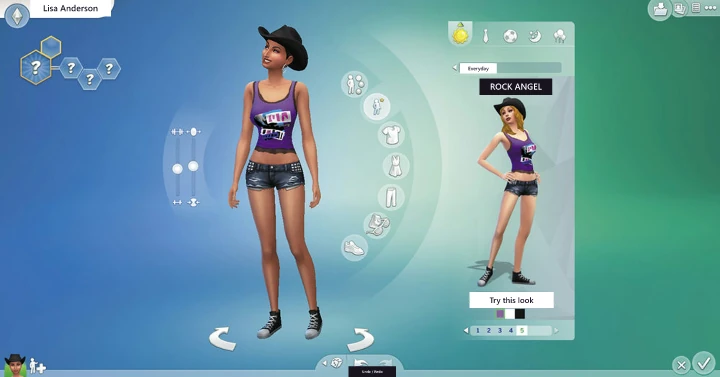
A pre-styled outfit in the "Styled Looks" section of The Sims 4 Create-a-Sim (CAS) mode.1.0.0

A pre-styled outfit in The Sims 4 Create-a-Sim (CAS) mode. In-game context.

Managing Sims

Keep Existing Outfits

When an outfit already exists, the mod prevents the game from replacing it with a randomly generated one. Empty clothing categories may still be filled automatically.

Details and installation

What changes in the game. Once a pre-styled outfit has been created, the mod prevents the game from swapping it out for a random one. For example, an everyday outfit you’ve chosen for a Sim is less likely to change on its own. The game may still automatically fill in any empty clothing categories.

Requirements. TS4-Library; S4CL

Installation. Close the game. Unpack the ZIP file and follow the included instructions; the mod and all necessary libraries are contained within the archive. Do not unpack the .ts4script files.

Compatibility. Game version specified by the author: 1.106.148. Not tested in our own game.

A single ZIP file contains both the mod and the required libraries. Unpack the Mods and mod_data folders into The Sims 4 folder.

Download ZIP1.8 MB

Creator: Oops19

ZIP SHA-256 checksum

keep-outfits-sims4.zip981934f61f5ea484145c051fa8f86092ea9799df21d9eb0ba99afd23530d0fd1

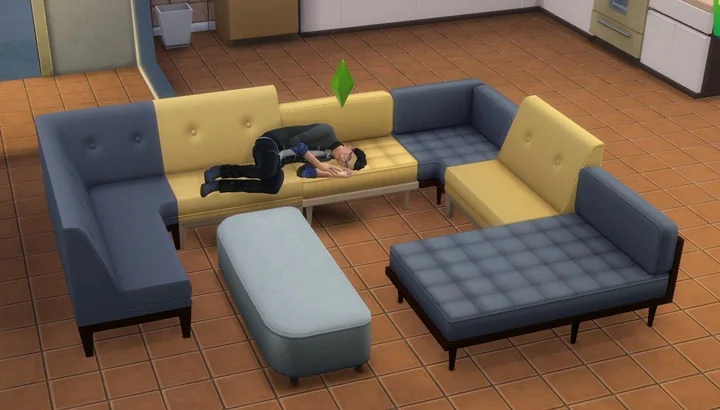
A Sim in The Sims 4 sleeping on a modular sofa while still wearing shoes.0.0.1

Napping on a sofa in The Sims 4. In-game context.

Managing Sims

Sleep Without Shoes

Adds an interaction for household members to remove the shoes from a sleeping Sim. This small detail makes Sims' naps feel more natural.

Details and installation

What changes in the game. "Sleep Without Shoes" adds an interaction that allows for the removal of a sleeping Sim's footwear. For example, a character can relax on a sofa during the day without shoes, giving the scene a more natural look.

Requirements. TS4-Library; S4CL

Installation. Close the game. Unpack the ZIP file and follow the included instructions; the mod and all necessary libraries are contained within the archive. Do not unpack the .ts4script files.

Compatibility. Game version specified by the author: 1.120.140. Not tested in our game.

A single ZIP file contains both the mod and the required libraries. Unpack the Mods and mod_data folders into The Sims 4 folder.

Download ZIP1.8 MB

Creator: Oops19

ZIP SHA-256 checksum

ts4-comfynap.zip6add53a478f598d6b360453b95adca41e3747754223e4ef0dc906dff60279464

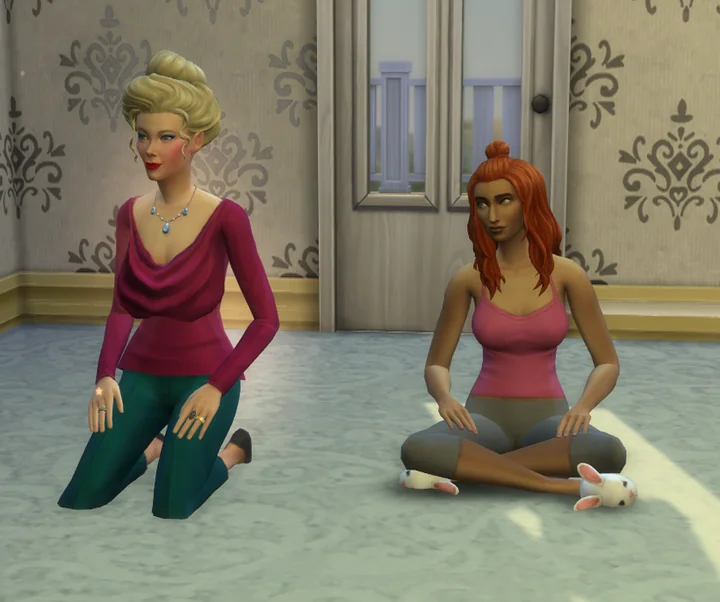
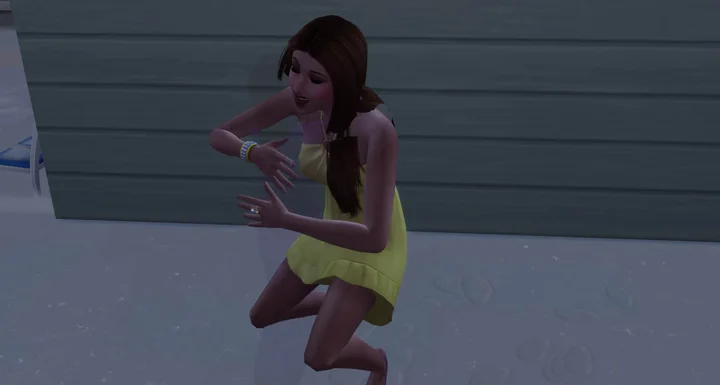
Sit On Ground: Sims can sit on their knees or cross-legged.1.0.0
Managing Sims

Sit on the Ground

Adds two ground-sitting interactions: kneeling or sitting cross-legged. The author dropped a third option following unsuccessful animation tests.

Details and installation

What changes in the game. This mod adds two ground-sitting interactions: sitting cross-legged and kneeling. For instance, you can have a character sit on the grass for a casual scene. If you have similar mods installed, some options might appear twice.

Requirements. TS4-Library; S4CL

Installation. Close the game. Unpack the ZIP file and follow the included instructions; the mod and all necessary libraries are contained within the archive. Do not unpack the .ts4script files.

Compatibility. Game version specified by the author: 1.98.158. Not tested in our game.

A single ZIP file contains both the mod and the required libraries. Unpack the Mods and mod_data folders into The Sims 4 folder.

Download ZIP1.8 MB

Creator: Oops19

ZIP SHA-256 checksum

ts4-sitonground.zipb275800f538d72e8eedbcb37b0783f947c1a6f07b0342069123ac2f79aaeaf9c

Appearance and More Gameplay

6 downloads

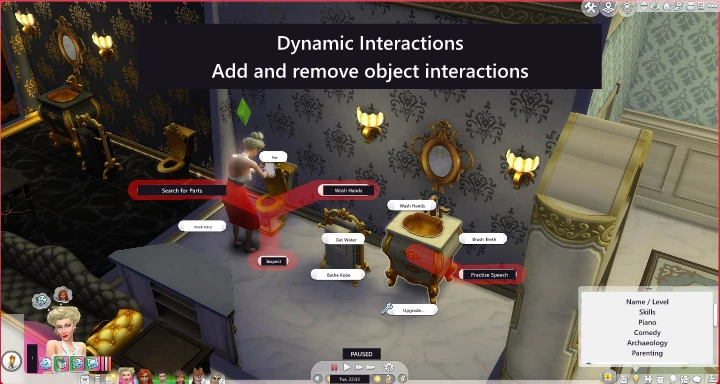
Dynamic actions of objects - the author's cover1.0.3
Appearance and More Gameplay

Dynamic Object Interactions

Allows for adding or removing object interactions based on the lot, room, or environment. Behavior is defined via configuration files.

Details and installation

What changes in the game. This mod adds or removes object interactions based on the room, lot, or environment. For example, an interaction can be made to appear only where it fits your specific gameplay scenario. Rules are set in the configuration.

Requirements. TS4-Library; S4CL

Installation. Close the game. Unpack the ZIP file and follow the included instructions; the mod and all necessary libraries are contained within the archive. Do not unpack the .ts4script files.

Compatibility. Game version specified by the author: 1.98.158. Not tested in our game.

A single ZIP file contains both the mod and the required libraries. Unpack the Mods and mod_data folders into The Sims 4 folder.

Download ZIP1.8 MB

Creator: Oops19

ZIP SHA-256 checksum

ts4-dynamicinteractions.zipafff1a42ce66128da11b64ca65d0f5b8ff0a83a0eb6dfd29424d058b85fa55ed

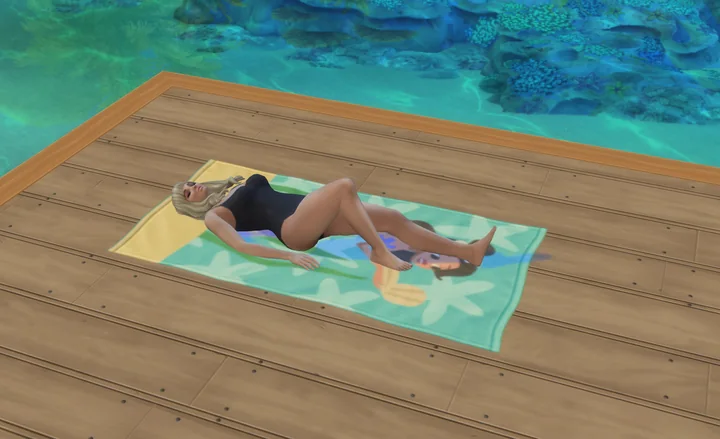
Custom Tan Lines — creator’s preview2.0.0
Appearance and More Gameplay

Custom Tan Lines

Helps apply custom tan lines to individual outfits using the Island Living expansion pack mechanics. This is a tool for customizing tan lines; it does not fix broken clothing textures.

Details and installation

What changes in the game. This mod allows you to assign specific tan lines to different outfits. For example, you can match a tan pattern to a Sim’s swimsuit from the Island Living expansion pack. This tool does not repair broken clothing textures.

Requirements. Island Living expansion pack; TS4-Library; S4CL.

Installation. Close the game. Unpack the ZIP file and follow the included instructions; the mod and all necessary libraries are contained within the archive. Do not unpack the .ts4script files.

Compatibility. Game version specified by the author: 1.120.117. Not tested in our own game.

A single ZIP file contains both the mod and the required libraries. Unpack the Mods and mod_data folders into The Sims 4 folder.

Download ZIP3.7 MB

Creator: Oops19

ZIP SHA-256 checksum

custom-tan-lines-sims4.zip56abbc3e54f73781f81202498d7195624fb16e99179baf141d8e00bde64eb392

Transparent Sims and Objects — creator’s preview1.2.7
Appearance and More Gameplay

Transparent Sims and Objects

Allows you to temporarily change the transparency (opacity) of Sims and objects via the in-game menu. The transparency settings reset once the game is restarted.

Details and installation

What changes in the game. You can use the in-game menu to temporarily make a Sim or an object more transparent. This effect can be useful, for instance, when setting up a unique scene for a screenshot. Transparency resets once the game is restarted; note that if the value is set below 30%, the object becomes difficult to select with the mouse.

Requirements. TS4-Library; S4CL

Installation. Close the game. Unpack the ZIP file and follow the included instructions; the mod and all necessary libraries are contained within the archive. Do not unpack the .ts4script files.

Compatibility. Game version specified by the author: 1.120.117. Not tested in our own game.

A single ZIP file contains both the mod and the required libraries. Unpack the Mods and mod_data folders into The Sims 4 folder.

Download ZIP2 MB

Creator: Oops19

ZIP SHA-256 checksum

transparent-sims-objects.zipd0a94aad934a64d6bb49b1559e89c065c7f5823c65fbc2ec11e652a22a6c0938

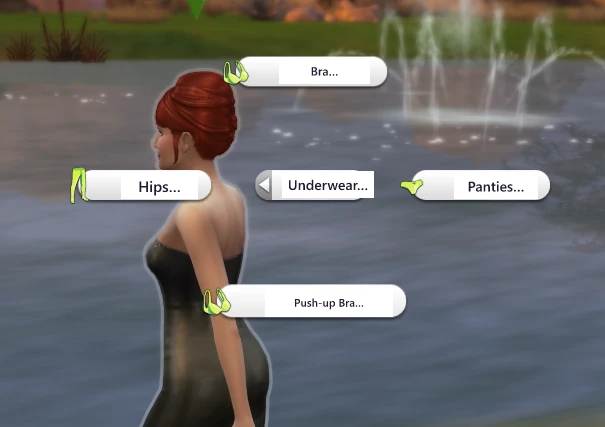
A screenshot from the creator of this The Sims 4 mod, showing the "Lingerie" menu with a "Push-Up Bra" option.0.0.4

The "Push-Up Bra" menu, as shown in the creator's demonstration of the mod.

Appearance and More Gameplay

Push-Up Effect for Clothing

This mod introduces temporary cosmetic changes to body shape using in-game sliders and lingerie-based effects. According to the creator, the mod does not add nudity or any new adult-oriented interactions.

Details and installation

What changes in the game. The "push-up" effect alters the appearance of clothing through in-game sliders and lingerie-based effects. It can be used, for example, to adjust the silhouette of an adult Sim while they are wearing a specific outfit. The mod does not add any new adult-oriented interactions.

Requirements. TS4-Library; S4CL

Installation. Close the game. Unpack the ZIP file and follow the included instructions; the mod and all necessary libraries are contained within the archive. Do not unpack the .ts4script files.

Compatibility. Game version specified by the author: 1.120.140. Not tested in our game.

A single ZIP file contains both the mod and the required libraries. Unpack the Mods and mod_data folders into The Sims 4 folder.

Download ZIP1.9 MB

Creator: Oops19

ZIP SHA-256 checksum

ts4-pushupbra.zip959aee4487b5c5494b98f518b44724ee178f3817624e8bc0633543337b3d0b23

SimRay Body Modifications: a menu for altering a Sim's physique.1.0.5
Appearance and More Gameplay

Change Appearance with the SimRay

Adds an interaction to the SimRay that allows you to modify the body shape of an adult Sim.

Details and installation

What changes in the game. With the Get to Work expansion pack installed, the SimRay can be used to apply physical changes to adult Sims. Simply point the ray at a chosen Sim and adjust the available body parameters. The creator notes that, due to the way the game functions, some effects may occasionally fail to trigger.

Requirements. The SimRay from the Get to Work expansion pack; TS4-Library; S4CL.

Installation. Close the game. Unpack the ZIP file and follow the included instructions; the mod and all necessary libraries are contained within the archive. Do not unpack the .ts4script files.

Compatibility. Game version specified by the author: 1.123.66. Not tested in our game.

A single ZIP file contains both the mod and the required libraries. Unpack the Mods and mod_data folders into The Sims 4 folder.

Download ZIP1.9 MB

Creator: Oops19

ZIP SHA-256 checksum

ts4-simraybodymodifications.zip2df3d1d56d38d6034256fc79df061c3adf6970403c174cdf631b16d89b08cd40

"Up and Adam" drone and video recording menu in The Sims 4: Get Famous.1.4.0

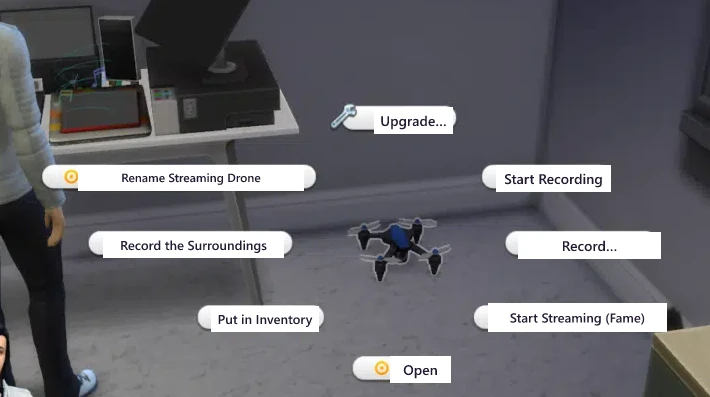
The drone from "Get Famous" and its in-game menu. Gameplay context.

Appearance and More Gameplay

Disable Drone Auto-Stop

Prevents the in-game drone from automatically stopping recording during certain Sim actions.

Details and installation

What changes in the game. The "Get Famous" drone continues to operate in situations where the game would normally stop it automatically. For example, you can film longer in-game scenes without interruptions caused by a Sim's actions. The mod does not create an actual video file; resetting a Sim will still stop the drone attached to them.

Requirements. "Get Famous" expansion pack content for the in-game drone; TS4-Library; S4CL.

Installation. Close the game. Unpack the ZIP file and follow the included instructions; the mod and all necessary libraries are contained within the archive. Do not unpack the .ts4script files.

Compatibility. Game version specified by the author: 1.106.148. Not tested in our own game.

A single ZIP file contains both the mod and the required libraries. Unpack the Mods and mod_data folders into The Sims 4 folder.

Download ZIP1.8 MB

Creator: Oops19

ZIP SHA-256 checksum

drone-recording-fix-sims4.zipfc675f4627e0f5cdb73f1316762a17b254464acc533e2645b81ae287fe51e4ca

A few quick steps

How to install

Close the game and remove the old files before updating. If a download has its own installation instructions, follow those steps.

  1. Download and extract

    Download and extract the ZIP. You don’t need to open .package files.

  2. Add the files to Mods

    Open Documents → Electronic Arts → The Sims 4 → Mods. Place the .package and .ts4script files there. Keep script files no more than one folder deep inside Mods.

  3. Enable mods in the game

    In Game Options, enable custom content and script mods, then restart The Sims 4.