Mods and Custom Content

The Sims 4 Tools and Utilities

Find utilities for managing the game, saves and mods. Each listing explains what the tool does and which files you need.

13 downloads

Page 1 of 1

Settings and Troubleshooting

4 downloads

MC Command Center logo by Deaderpool2026.6.0
Settings and Troubleshooting

MC Command Center

Manage households, aging and the town population from one menu. For example, you can change how Sims in your town age.

Details and installation

What changes in the game. MC Command Center consolidates settings for households, residents, and aging into a single menu. For example, you can modify Sim aging rules or customize the town's population to suit your specific playthrough. MC Woohoo is not included in this archive.

This download includes all files in one ZIP. Extract it before installing.

Download ZIP2.1 MB

Creator: deaderpool_mccc

ZIP SHA-256 checksum

McCmdCenter_AllModules_2026_6_0.zipb599a172390ee5def82376f7bab0efafacb88de101f9552eb968a2dcbfd368b0
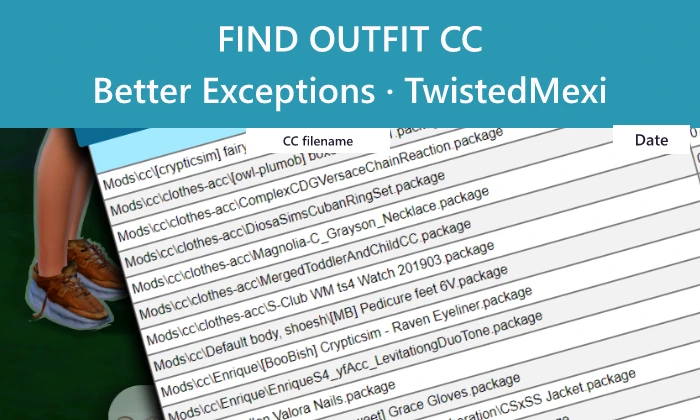
Clothing and custom content report in Better Exceptions3.16
Settings and Troubleshooting

Better Exceptions

Generates a diagnostic report on mod errors and helps locate problematic files.

Details and installation

What changes in the game. If errors appear after installing a mod or other custom content, Better Exceptions collects information about the errors and potentially problematic mods in a report. Use it to identify which files to check or update. It helps diagnose problems but does not automatically fix every conflict.

Compatibility. The card lists game version 1.121.372; current compatibility has not been verified.

This download includes all files in one ZIP. Extract it before installing.

Download ZIP103 KB

Creator: TwistedMexi

ZIP SHA-256 checksum

TwistedMexi's Better Exceptions v3.16 Official.zipd96f9cfec71891f554e5678e2919dc72c86cf40553f103d8cbf773f67c7ea7ff

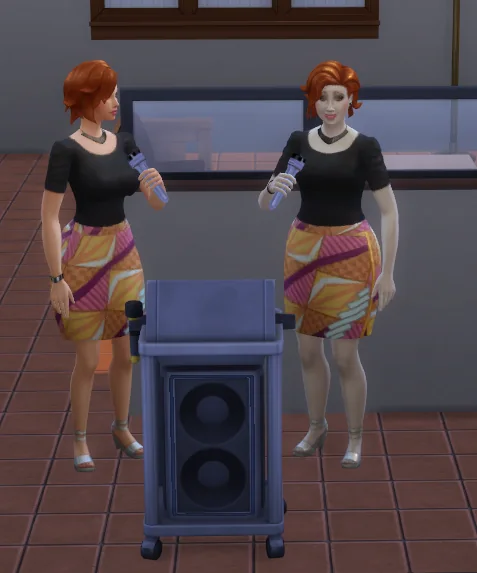
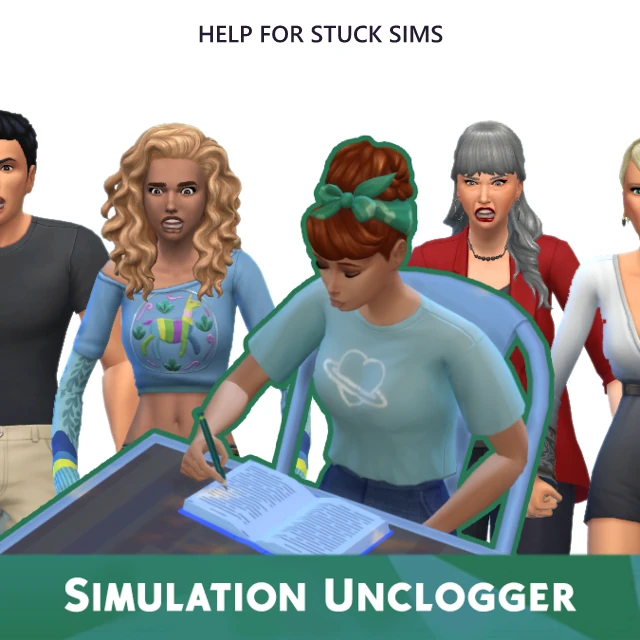
The Sims 4 characters featured on the cover image for Simulation Unclogger
Settings and Troubleshooting

Simulation Unclogger

A script that monitors stuck actions in the simulation queue and attempts to restore normal character behavior.

Details and installation

What changes in the game. Simulation Unclogger tracks stalled simulation tasks and tries to return Sims to their regular behavior. For instance, it can be helpful if a Sim remains stuck and fails to complete an action in their queue. This mod does not address the root causes of all game errors.

Requirements. Place the TS4SCRIPT file directly into your Mods folder or one subfolder deep.

Compatibility. This entry lists game version 1.129.39; current compatibility has not been verified.

This download includes all files in one ZIP. Extract it before installing.

Download ZIP2 KB

Creator: TURBODRIVER

ZIP SHA-256 checksum

SimulationTimelineUnclogger.zip40bab415be83677ee2742a508d46412e71a1e9da82bddafdc18b2ca013e1ab4c

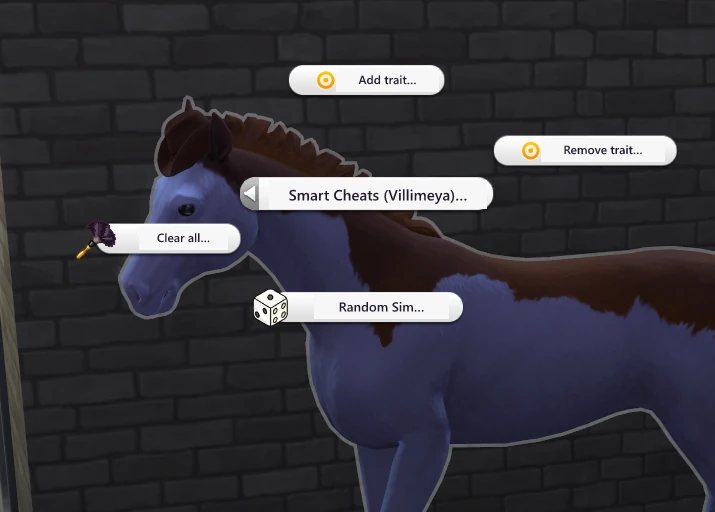
Smart Sim Cheats menu for configuring traits and other horse parameters.4.1.3
Settings and Troubleshooting

Smart Sim Cheats

Adds a cheat menu for Sim traits, fears, preferences, and other characteristics.

Details and installation

What changes in the game. Hold Shift and click on a Sim to open the Smart Sim Cheats menu. From here, you can add or remove traits, fears, preferences, lifestyles, and other attributes. For example, you can remove a fear from a selected Sim without needing to look up a specific console command. The required Smart Core Script is already included in the ZIP file.

Requirements. The Smart Core Script is already included in the ZIP file.

Compatibility. This entry lists game version 1.129.39; current compatibility has not been verified.

Extract the ZIP and copy the contents of Mods into the game’s Mods folder. The required add-ons are included.

Download ZIP648 KB

Creator: Andirz

ZIP SHA-256 checksum

smart-sim-cheats.zip4e0d0bf058dc381f6ab3ff10146d332d87e50e7359452e6f58940a97ea7ecffc

Create a Sim and Build Mode

5 downloads

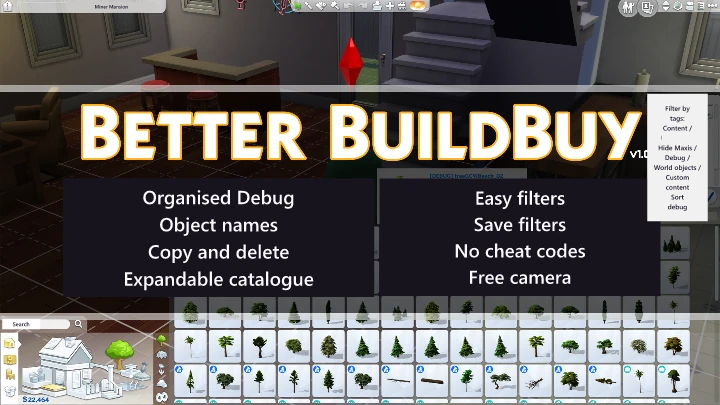
Better BuildBuy catalog and tools.4.4.3
Create a Sim and Build Mode

Better BuildBuy: Organized Debug

Organizes the Build/Buy catalog, including hidden debug objects.

Details and installation

What changes in the game. Better BuildBuy organizes the Build Mode catalog and provides a convenient search function for debug items—making it easier, for instance, to find hidden decor for lot landscaping.

Compatibility. This entry lists game version 1.122.212; current compatibility has not been verified.

This download includes all files in one ZIP. Extract it before installing.

Download ZIP8.4 MB

Creator: TwistedMexi

ZIP SHA-256 checksum

TwistedMexi's Better BuildBuy v4.4.3 Official CF.zipada93c368120273afbf792c567f8de657606b05b4b62578682b0bcbac705fb8d

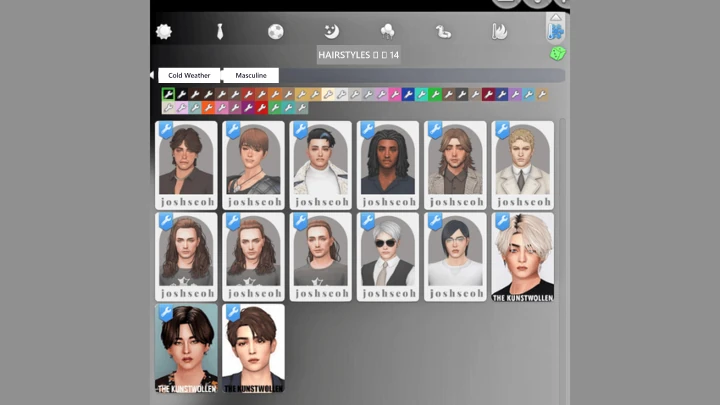
Favorite Hairstyles in Create-a-Sim (CAS) with CAS QuickFind
Create a Sim and Build Mode

CAS QuickFind - Favorites and Recent History, Built Into CAS

Adds a "favorites" feature and a history of recently used items to the Create-a-Sim editor.

Details and installation

What changes in the game. CAS QuickFind allows you to mark items as favorites and keeps a history of recently selected items in the Create-a-Sim editor. For example, you can easily return to a hairstyle you liked after trying on other options.

Compatibility. The listing mentions game version 1.126.58; current compatibility has not been verified.

This download includes all files in one ZIP. Extract it before installing.

Download ZIP796 KB

Creator: XtremSyn

ZIP SHA-256 checksum

XtremSyn_CASQuickFind_1.126.zipc7a87c4d7f141247b2fe2a7c55f9c3a67354eb721d810c5fd10336d2ccf672e8

Copy Outfits — creator’s preview2.0.1
Create a Sim and Build Mode

Copy Outfits

Copy clothing between Sims, outfit categories, and mannequins via the in-game menu.

Details and installation

What changes in the game. Select an existing outfit and transfer it to another Sim or a different clothing category. For instance, you can use one outfit as a base for multiple Sims or copy an entire look. The author notes that there may be compatibility limitations when transferring items between different age groups.

Requirements. TS4-Library; S4CL

Installation. Close the game. Unpack the ZIP file and follow the included instructions; the mod and all necessary libraries are contained within the archive. Do not unpack the .ts4script files.

Compatibility. Game version specified by the author: 1.120.117. Not tested in our own game.

A single ZIP file contains both the mod and the required libraries. Unpack the Mods and mod_data folders into The Sims 4 folder.

Download ZIP7.6 MB

Creator: Oops19

ZIP SHA-256 checksum

ts4-copyoutfits.zip14b8c8dc68df4c4e37761914766ef8409491afe4c6fd3198df8799435e993489

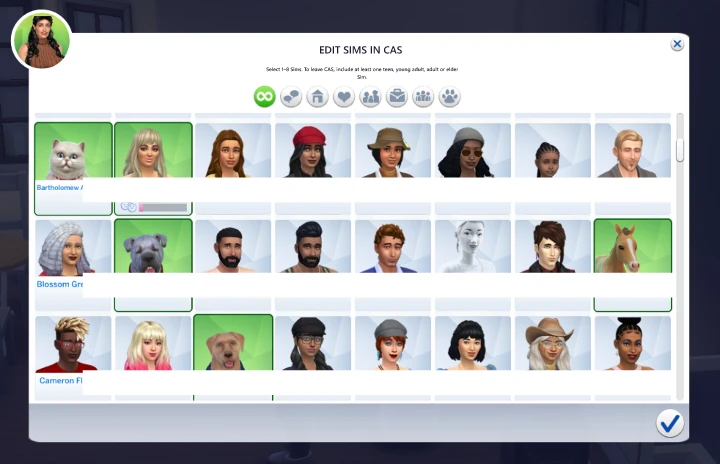
Edit Multiple Sims in CAS — creator’s preview0.0.14-beta
Create a Sim and Build Mode

Edit Multiple Sims in Create a Sim

Allows you to open up to eight Sims at once in Create-a-Sim to change their everyday outfits.

Details and installation

What changes in the game. Select several Sims, including random townies, and change their everyday outfits in one Create a Sim session. For example, you can dress a group of neighbors without switching households. The creator does not specify support for occult Sims or special outfits.

Requirements. TS4-Library; S4CL

Installation. Close the game. Unpack the ZIP file and follow the included instructions; the mod and all necessary libraries are contained within the archive. Do not unpack the .ts4script files.

Compatibility. Game version specified by the author: 1.120.117. Not tested in our own game.

A single ZIP file contains both the mod and the required libraries. Unpack the Mods and mod_data folders into The Sims 4 folder.

Download ZIP2.3 MB

Creator: Oops19

ZIP SHA-256 checksum

ts4-editincas.zip07130347f0b1a188412dd41daaf993f6127e05f8210e5b581b242768c03cfd65

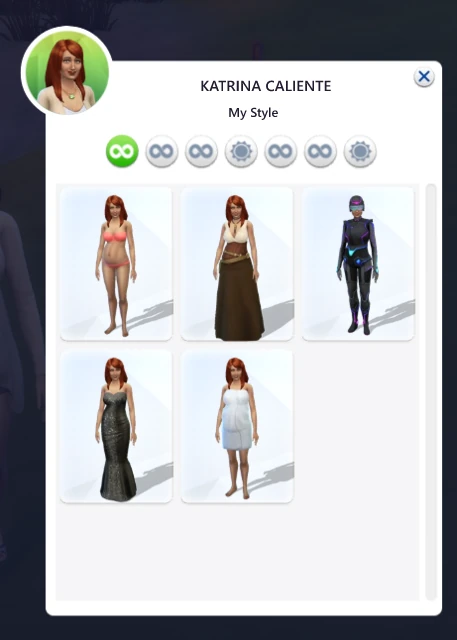
My Style: The selection window for special outfits in The Sims 4.1.0.3
Create a Sim and Build Mode

Select Special Outfits

Provides access to a Sim’s hidden, special outfits, such as career uniforms, towels, and event-specific attire.

Details and installation

What changes in the game. MyStyle adds a selection of special outfits—normally inaccessible—to the clothing menu. For example, you can assign a career uniform to a Sim or select an event-specific outfit. If a Sim does not possess such an outfit, the option may trigger an error; the mod also requires Patch-XML to function.

Requirements. TS4-Library; S4CL; TS4 Patch-XML

Installation. Close the game. Unpack the ZIP file and follow the included instructions; the mod and all necessary libraries are contained within the archive. Do not unpack the .ts4script files.

Compatibility. Game version specified by the author: 1.121.372. Not tested in our own game environment.

A single ZIP file contains both the mod and the required libraries. Unpack the Mods and mod_data folders into The Sims 4 folder.

Download ZIP4.4 MB

Creator: Oops19

ZIP SHA-256 checksum

special-outfits-sims4.zip81c9e4ff5afe3167ea57132fa14e394f863bfb94e3c8578759af3b2340a11a00

More Tools

4 downloads

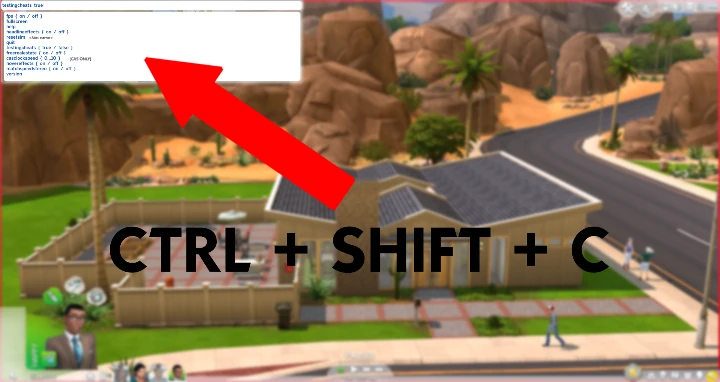
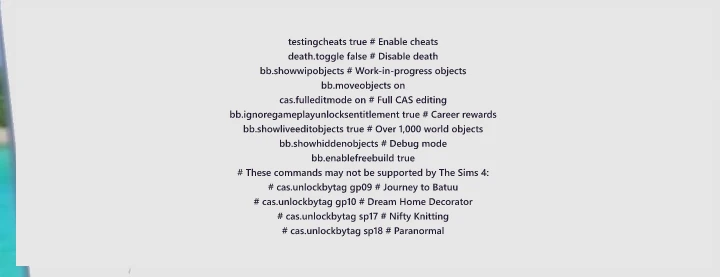
The Sims 4 command console, accessed via the Ctrl + Shift + C key combination.1.0.0

The Sims 4 command console (in-game context).

More Tools

Keyboard Shortcuts and Gamepad Support

Enables the execution of in-game actions via hotkeys; support for gamepads is limited.

Details and installation

What changes in the game. Assign hotkeys to frequently used actions to trigger them without navigating through menus. For example, you can execute a specific command while the game window is active. This mod is compatible only with Windows and does not support CAS. To move a Sim using a gamepad, a compatible third-party mod is required; arbitrary actions cannot be mapped to gamepad buttons.

Requirements. Windows; TS4-Library; S4CL. The game window must be active.

Installation. Close the game. Unpack the ZIP file and follow the included instructions; the mod and all necessary libraries are contained within the archive. Do not unpack the .ts4script files.

Compatibility. Game version specified by the author: 1.120.117. Not tested in our own game.

A single ZIP file contains both the mod and the required libraries. Unpack the Mods and mod_data folders into The Sims 4 folder.

Download ZIP1.9 MB

Creator: Oops19

ZIP SHA-256 checksum

ts4-hotkeys.zip474397947bd8a615353ed309f7cd834522d4e349cafcc962d4be246cf34d8408

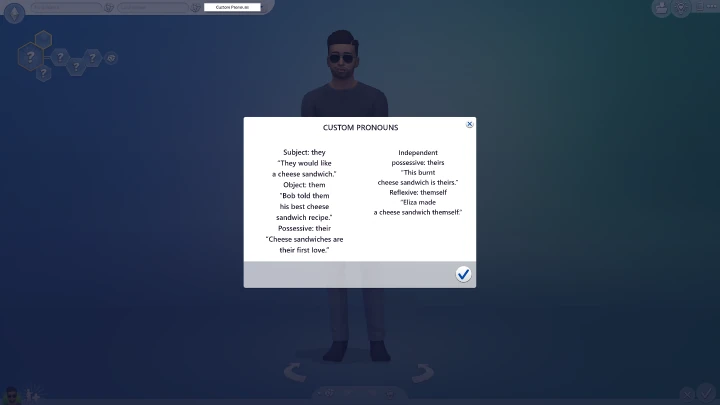
The standard "Custom Pronouns" menu in The Sims 4 Create-a-Sim (CAS) editor.2.0.7

The standard pronouns menu in The Sims 4. In-game context.

More Tools

Customize Pronouns

Allows you to change a Sim's pronoun forms with a single command, without needing to open the Create-a-Sim editor.

Details and installation

What changes in the game. Enter the command provided by the mod to set the desired pronoun forms for a Sim, or clear any previously selected forms. This is useful, for example, after creating a Sim, when you don't want to go back into CAS. Certain values may be flagged by EA’s rules when saving or sharing a Sim.

Requirements. TS4-Library; S4CL

Installation. Close the game. Unpack the ZIP file and follow the included instructions; the mod and all necessary libraries are contained within the archive. Do not unpack the .ts4script files.

Compatibility. Game version specified by the author: 1.112.519. Not tested in our version of the game.

A single ZIP file contains both the mod and the required libraries. Unpack the Mods and mod_data folders into The Sims 4 folder.

Download ZIP1.8 MB

Creator: Oops19

ZIP SHA-256 checksum

ts4-pronouns.zip0968d4999703757e646be52be37c08a7f820ac6d89ab8f9720e6fa4ea997275c

Run Commands on Startup — creator’s preview1.0.7
More Tools

Run Commands on Startup

Automatically executes specified cheat commands when the game starts or when a household is loaded.

Details and installation

What changes in the game. The player lists the desired commands in a commands.txt file, and the mod executes them at the appropriate time. For instance, frequently used settings can be applied every time a household loads, eliminating the need for manual re-entry. Note that some commands only take effect once the household has appeared on the lot.

Requirements. TS4-Library; S4CL

Installation. Close the game. Unpack the ZIP file and follow the included instructions; the mod and all necessary libraries are contained within the archive. Do not unpack the .ts4script files.

Compatibility. Game version specified by the author: 1.120.117. Not tested in our own game.

A single ZIP file contains both the mod and the required libraries. Unpack the Mods and mod_data folders into The Sims 4 folder.

Download ZIP2.2 MB

Creator: Oops19

ZIP SHA-256 checksum

ts4-runcheatcommands.zip2ce0f7f4b3c68c543fdae2677d03a2423c98838489cac0031cc5e77f03d99b40

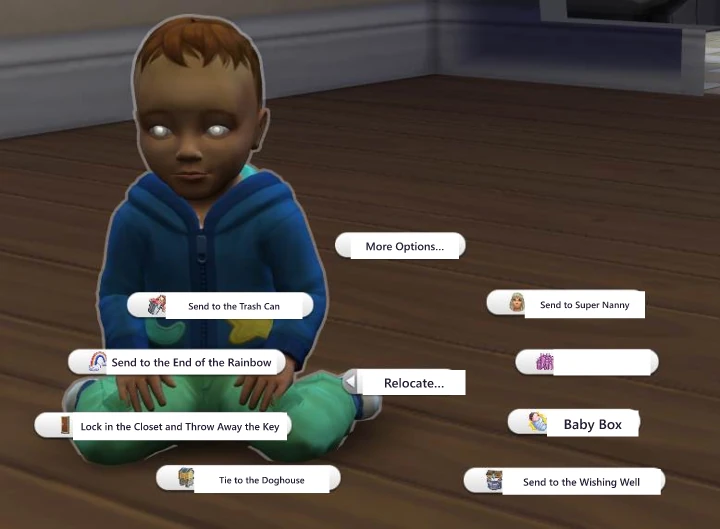
Whisk Away — Relocate Sims — creator’s preview1.0.0
More Tools

Whisk Away — Relocate Sims

Allows you to move a Sim to another household or remove them from the game world via the in-game menu.

Details and installation

What changes in the game. Whisk Away adds quick-action options for Sims. For instance, you can transfer a neighbor to a different household without having to manually edit household compositions, or remove a selected Sim from the world entirely. According to the creator, this "silent" removal ensures that other Sims do not react with grief; note that special NPCs are not protected from being removed.

Requirements. TS4-Library; S4CL

Installation. Close the game. Unpack the ZIP file and follow the included instructions; the mod and all necessary libraries are contained within the archive. Do not unpack the .ts4script files.

Compatibility. Game version specified by the author: 1.120.117. Not tested in our own game.

A single ZIP file contains both the mod and the required libraries. Unpack the Mods and mod_data folders into The Sims 4 folder.

Download ZIP2 MB

Creator: Oops19

ZIP SHA-256 checksum

ts4-whiskaway.zipf64caa2a09c8016db1744214071bc00772e7bb59d719c2ff07a754bcbddc670f

A few quick steps

How to install

Close the game and remove the old files before updating. If a download has its own installation instructions, follow those steps.

  1. Download and extract

    Download and extract the ZIP. You don’t need to open .package files.

  2. Add the files to Mods

    Open Documents → Electronic Arts → The Sims 4 → Mods. Place the .package and .ts4script files there. Keep script files no more than one folder deep inside Mods.

  3. Enable mods in the game

    In Game Options, enable custom content and script mods, then restart The Sims 4.