Mods and Custom Content · Adults Only

Adult Mods for The Sims 4 (18+)

Choose relationship add-ons and other gameplay options for adult players. Check each mod’s requirements and possible conflicts before installing.

41 downloads · Page 2

Page 2 of 2

Animations and Poses · continued

24 downloads

Cover image for Tibo131's Animations
Animations and Poses

Tibo131's Animations

A pack by Tibo131 featuring animations for couples and group scenes on beds and sofas.

Details and installation

What changes in the game. The Tibo131 v22 public release contains staged animations for WickedWhims. Options include scenes for two Sims on a bed or group encounters on a sofa; the creator designed these movements with an eye toward capturing beautiful in-game screenshots and video clips. The entry includes a single ZIP file containing the animations.

Requirements. Requires WickedWhims.

This download includes all files in one ZIP. Extract it before installing.

Download ZIP10.1 MB

Creator: Tibo131

ZIP SHA-256 checksum

Tibo131_WW_Animations_v22.zip080a9d156ee42bd968d97d966eee8833d5a45da4ed0028aaf8bfd642fc5be84d
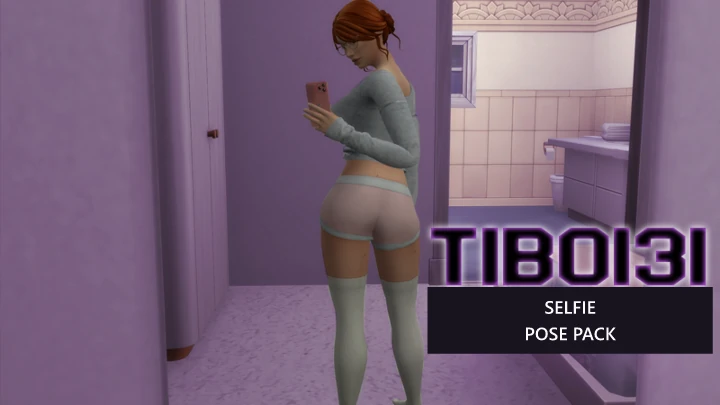
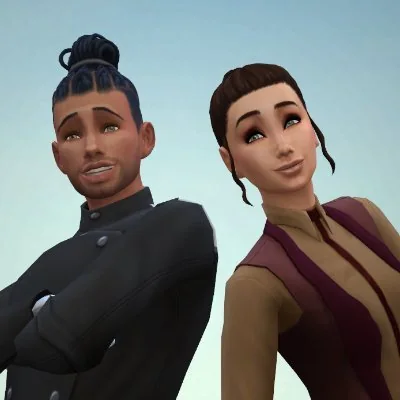
Preview for Tibo131's Selfie Pose Pack Collection
Animations and Poses

Tibo131's Selfie Pose Pack Collection

Four pose packs by Tibo131 for staged character selfies.

Details and installation

What changes in the game. This collection by Tibo131 consists of four pose packs designed for staged selfies. Choose the perfect pose for a couple or an individual Sim, and complete the scene with the appropriate accessories.

Requirements. Requires WickedWhims, Teleport Any Sim, and the Beto phone mod. Some poses may require compatible clothing.

Installation. The ZIP includes pose sets and Teleport Any Sim. Put the .package and .ts4script files you need in Mods and remove the old script.

Extract the ZIP and copy the contents of Mods into the game’s Mods folder. The required add-ons are included.

Download ZIP3.3 MB

Creator: Tibo131

ZIP SHA-256 checksum

tibo131s-selfie-pose-pack-collection.zip3ff459436211ea1f49234e1720e1349b7180530ca1be2afbcda2d97b8758685e

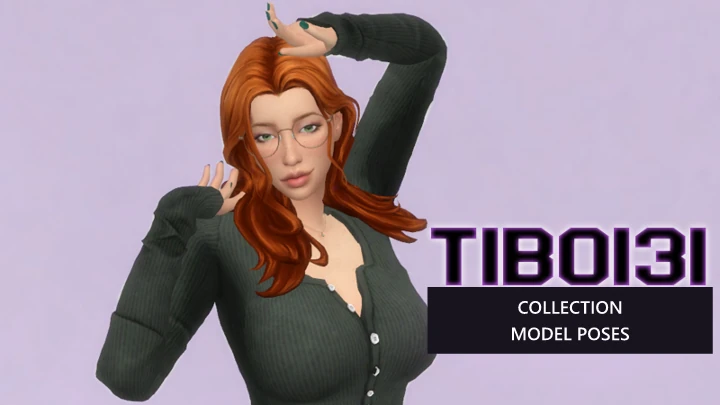
Creator Preview: Tibo131 — Model Poses: Sets 1, 2, 3, 7, and 9
Animations and Poses

Tibo131 — Model Poses: Sets 1, 2, 3, 7, and 9

Five individual sets of model poses by Tibo131 for adult character photography.

Details and installation

What changes in the game. This collection includes pose sets 1, 2, 3, 7, and 9. You can choose a single set to pose a character for a portrait or a fashion-style shoot, or combine multiple sets for a wider variety of options. These are standalone pose sets; sets that include additional props are not included here.

Requirements. Requires WickedWhims.

Extract the ZIP and copy the contents of Mods to your game’s Mods folder.

Download ZIP2.3 MB

Creator: Tibo131

ZIP SHA-256 checksum

tibo131-modeling-pose-packs.zip3f2824a8bc4a50193b6727ffdfc4d10639dc129e87bbcc361bdbc7df748f3892

Image from the profile of creator Creamydelicious

Creator’s preview

Animations and Poses

Creamydelicious — Simlish Animations

Ten public animations by Creamydelicious, featuring audio in Simlish.

Details and installation

What changes in the game. This Simlish pack adds animations that include audio in the in-game language. It is perfect for those who want to hear Simlish during new WickedWhims scenes. The CherryPie CumMesh, required for the visual effects, is included in the ZIP file.

Requirements. Requires an up-to-date version of WickedWhims. CherryPie CumMesh v2 is included in the ZIP file.

Installation. Extract the ZIP and copy the contents of Mods to your game’s Mods folder. If CherryPie CumMesh is already installed, keep only one copy.

Extract the ZIP and copy the contents of Mods into the game’s Mods folder. The required add-ons are included.

Download ZIP30.9 MB

Creator: Creamydelicious

ZIP SHA-256 checksum

creamydelicious-animations.zip753b76710a4097305c8403bd6d04fcdec4e08ca9706fdceab0d002f39b8bda6f

Image from the profile of creator 𝓕𝓻𝓾𝓲𝓽𝔂𝓭𝓮𝓵𝓲𝓬𝓲𝓸𝓾𝓼

Creator’s preview

Animations and Poses

Fruitydelicious — animations for WickedWhims

Adds adult animations with sound by Fruitydelicious for scenes on beds and sofas.

Details and installation

What changes in the game. The Fruitydelicious pack expands WickedWhims with animations that include sound effects. The creator’s examples include sequences for double beds and sofas, allowing you to choose a new setting and mood for your scenes. The ZIP file contains the public release of these animations.

Requirements. Requires WickedWhims.

Extract the ZIP and copy the contents of Mods to your game’s Mods folder.

Download ZIP342.7 MB

Creator: 𝓕𝓻𝓾𝓲𝓽𝔂𝓭𝓮𝓵𝓲𝓬𝓲𝓸𝓾𝓼

ZIP SHA-256 checksum

fruitydelicious-animations-for-wickedwhims.zipeb21fbdb0a10a98eb5d5af9b64abe6c1434d5050e195e2a655fa0a4fb86d857f

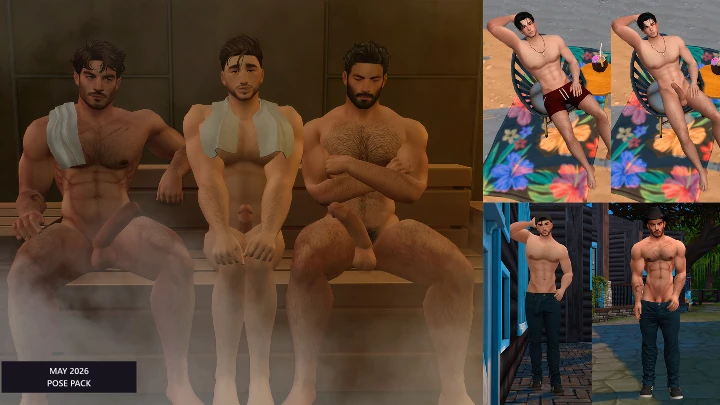
Creator preview: May 2026 - Pose pack
Animations and Poses

May 2026 - Pose pack

A set of male poses by the creator, "Beto," designed for staged in-game screenshots.

Details and installation

What changes in the game. The "Beto" set adds male poses for staged shots—perfect for creating character portraits or setting up scenes for an in-game story.

Requirements. Requires Andrew’s Pose Player and Teleport Any Sim.

Installation. The ZIP includes the pose set and Teleport Any Sim. Put the .package and .ts4script files in Mods and remove the old script.

Extract the ZIP and copy the contents of Mods into the game’s Mods folder. The required add-ons are included.

Download ZIP268 KB

Creator: Beto

ZIP SHA-256 checksum

beto-may-2026-pose-pack.zipf8a3737890ff8ddd67ab718f9a84ae6fab96649c21f475527e247a7b40623a16

Image from the profile of creator QuinSims

Creator’s preview

Animations and Poses

QuinSims Fetish Animations 31/05

Two packs of adult animations by QuinSims: a main set and a themed BDSM set that includes props for scenes.

Details and installation

What changes in the game. The main package adds QuinSims’ animations, while the second package contains specific BDSM-themed scenes. For instance, scenes that utilize the creator’s custom props require the "Support Props" file. Both animation sets, Support Props and CherryPie, are included in the ZIP file. For certain specific scenes, you will need "Dreams of Surrender," which can be found in a separate entry.

Requirements. Requires WickedWhims. CherryPie and Support Props are already included in the ZIP; "Dreams of Surrender" is required for some individual scenes.

Installation. Extract the ZIP file and move the contents of the "Mods" folder into your game's "Mods" folder. If you already have "CherryPie CumMesh" installed, keep only one copy. For specific scenes, install "Dreams of Surrender" separately.

The ZIP contains two animation sets, plus Support Props and CherryPie. Extract it and copy the contents of Mods to your game’s Mods folder.

Download ZIP36.2 MB

Creator: QuinSims

ZIP SHA-256 checksum

quinsims-fetish-animations.zip6395c887cd864b3faa25abf5ad10838a4963c64b2c977839df02468a95b16300

Original cover art for Lupobianco Animations v2.6.4
Animations and Poses

Lupobianco Animations v2.6.4

Adds a series of adult animations by Lupobianco for couples, solo, and group scenes in WickedWhims.

Details and installation

What changes in the game. Release 2.6.4 includes animation sequences by Lupobianco that transition between different stages. For instance, the creator has added scenes featuring multiple Sims on a double bed. Requires WickedWhims to function. The core animations are contained in a ZIP file, along with assets for specific scenes: the "CherryPie CumMesh" and a "Chrome Dildo" object.

Requirements. Requires WickedWhims. The CherryPie CumMesh and Chrome Dildo by Podyssey are already included in the ZIP file.

Installation. Extract the ZIP and copy the contents of Mods to your game’s Mods folder. If CherryPie CumMesh is already installed, keep one copy.

The animations and all required items are included. No additional files need to be downloaded.

Download ZIP118.5 MB

Creator: Lupobianco

ZIP SHA-256 checksum

lupobianco-animations.zip9355e909a169f370ddc57f628253f7645434b2207e9114a59bf92a00667d8f3c

E404P — Animations for WickedWhims
Animations and Poses

E404P — Animations for WickedWhims

Three collections of E404P animations for WickedWhims: the main collection, "Height Difference," and "Machinima."

Details and installation

What changes in the game. The main collection expands the animation library, "Height Difference" adds scenes featuring height disparities, and "Machinima" is a separate set designed for staged scenes. You can choose to add just one specific collection to your game or install all three. The items required for these scenes are included in the ZIP file.

Requirements. Requires WickedWhims. All three parts of the collection are included in the ZIP file; no additional height-adjustment mod is required.

Installation. Extract the ZIP and copy the contents of Mods to your game’s Mods folder. Keep a single copy of CherryPie CumMesh if you already have it.

Extract the ZIP and copy the contents of Mods to your game’s Mods folder, keeping the subfolders intact.

Download ZIP238.7 MB

Creator: єяяσя404ρнιℓℓιρѕ

ZIP SHA-256 checksum

e404p-animations-wickedwhims.zipb0e3d0c45de770da6351bd9571547b88a04300695aa6978649b227f5e2472ad4

Custom cover art by Beebavel's Animations
Animations and Poses

Beebavel's Animations

Adds adult animations by Beebavel, along with the necessary models and effects.

Details and installation

What changes in the game. The main Beebavel package expands the list of adult scenes in WickedWhims. The ZIP file also includes CherryPie CumMesh and the Mikooi VagV2 model. Some scenes additionally require the "Pillory" mod by Azmodan22; all other scenes are available without it.

Requirements. Requires WickedWhims, CherryPie CumMesh v2, and Mikooi Sims Female Body Parts (VagV2). Certain scenes require the "Pillory" mod by Azmodan22.

Installation. Extract the ZIP file and move the contents of the "Mods" folder into your game's "Mods" folder. If you already have CherryPie CumMesh installed, keep only one copy. The "Pillory" mod required for some scenes is not included in the ZIP.

The animations, CherryPie, and VagV2 are included in the ZIP. Some scenes require the "Pillory" mod by Azmodan22, which is not included.

Download ZIP27.2 MB

Creator: Beebavel

ZIP SHA-256 checksum

beebavel-animations-vanilla-harem-yaoi-bdsm.zipd54f0b14c3e79d4eabf417576c023a635a5a5408edf64522dc5a6395ffe3f8ea

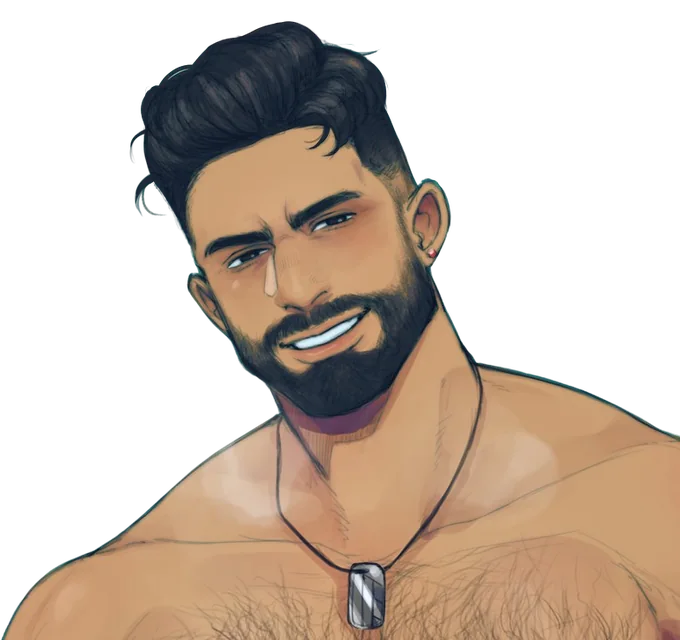
Image from the profile of creator Khlas

Creator’s preview

Animations and Poses

Standing male peeing animation replacer

Replaces the animation for male characters using the toilet while standing.

Details and installation

What changes in the game. This file replaces a single animation: a male character using the toilet while standing. It is ideal for players who want to change this specific behavior without adding new menus or actions.

Requirements. Do not use this simultaneously with another mod that replaces the same animation.

Extract the ZIP and copy the contents of Mods to your game’s Mods folder.

Download ZIP308 KB

Creator: Khlas

ZIP SHA-256 checksum

standing-male-peeing-animation-replacer.zip9e8ec30b704d4e05a3635aab22e6277379fdc9f9c4cc396f7222e3512c8f0329

Image from the profile of creator Yummy-o-Tummy

Creator’s preview

Animations and Poses

Yummy-o-Tummy Sex Animations Pack

Adds romantic adult animations by Yummy-o-Tummy, complete with sound and specific props for the scenes.

Details and installation

What changes in the game. Yummy-o-Tummy’s public pack includes scenes for various locations, such as by a door or a washing machine. The animations are accompanied by sound effects. A single ZIP file contains both the animations and the necessary props for the scenes.

Requirements. Requires WickedWhims.

The animations and their corresponding props are included; no additional files need to be downloaded.

Download ZIP25.7 MB

Creator: Yummy-o-Tummy

ZIP SHA-256 checksum

yummy-o-tummy-sex-animation-pack.zip6a545b0b5c858ab96db56f6bf311767bea84899a5bf4bbe82f32b97870517ce6

Creator preview: Cipher Uvs Wicked Animations
Animations and Poses

Cipher Uvs Wicked Animations

Adds adult animations by Cipher Uvs to the WickedWhims scene list.

Details and installation

What changes in the game. This public archive contains a set of adult animations by Cipher Uvs for WickedWhims. Once installed, they expand the list of available options in the game. The older "OLD" collection is not included in this entry and is not required for this release.

Requirements. Requires WickedWhims.

This download includes all files in one ZIP. Extract it before installing.

Download ZIP37.4 MB

Creator: Cipher Uvs

ZIP SHA-256 checksum

WW_CIPHER_UVS_Animations__PUBLIC_.zip65ab1d9f2360ccd7c23a8cb1c300e2ec6739527f7769e4da118474dea8fc6500

Creator cover art: Mike24 — "Classic" collection
Animations and Poses

Mike24 — Classic Collection

A classic archive of animations by Mike24 for WickedWhims adult scenes.

Details and installation

What changes in the game. The "Classic" collection adds animations by Mike24 to the WickedWhims library. The creator’s examples showcase scenes on a bed, a sofa, and by a table—allowing you to find the perfect setting for your story. This entry features the "Classic" collection specifically; the separate "DF" release is not included in this archive.

Requirements. Requires WickedWhims.

Both parts of the Classic collection are located in the "Mods" folder. Please move them into your game's "Mods" folder.

Download ZIP74 MB

Creator: Mike24

ZIP SHA-256 checksum

mike24-animations-for-wicked-whims.zipa7edeb58d7c376e489ec163d7c05ceecabbd72fb31e7dacf37c4bdd9332f537e

Objects

3 downloads

0nizu’s logo
Objects

0nizu Toys & Dolls

Adds items by 0nizu: dolls, handcuffs, and adult-themed accessories for decor and animations.

Details and installation

What changes in the game. The "0nizu Toys & Dolls" archive contains decorative and functional items, including dolls, handcuffs, and adult-themed accessories. For example, you can use them to decorate a themed room or place specific objects required for 0nizu animations. The animations themselves must be downloaded separately. If you have already installed the ZIP file containing 0nizu animations from our catalog, these items are already included—do not add a second copy.

Requirements. WickedWhims and a compatible animation pack are required for the corresponding scenes.

This download includes all files in one ZIP. Extract it before installing.

Download ZIP19.9 MB

Creator: 0nizu

ZIP SHA-256 checksum

0nizuSexToys.zip24d92b14131e560b894e460ccea7ec04035fc5a34fdc72e3ef91d579a573d53d

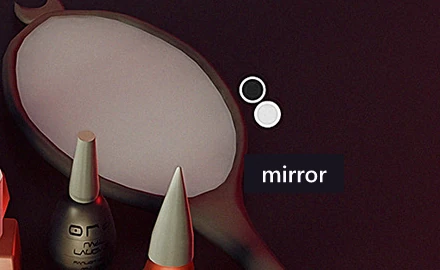
Set component: a mirror and nail polishes.

Set component: a mirror and nail polishes.

Objects

Halloween Decor Object Set

Themed decorative items by SM Sims for setting up festive in-game scenes.

Details and installation

What changes in the game. This set adds decorative items for Halloween-themed scenes. Use them to decorate a room for a party. In Build/Buy mode, search for “halloween 23”.

Requirements. The Sims 4. Some items are designed for the EVE v10 body type (or newer).

This download includes all files in one ZIP. Extract it before installing.

Download ZIP12.7 MB

Creator: SM Sims

ZIP SHA-256 checksum

SMSims_halloweendecor_objectset_UPDATED.zipa723b2144cd922335f71747437a50c60824b48aa98c91c318ccfefaa2598cc15

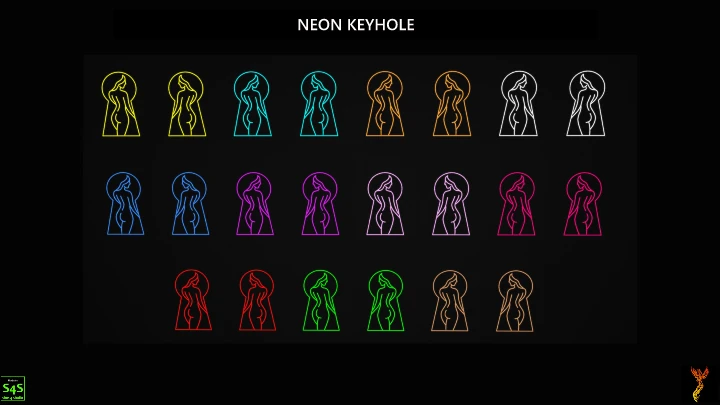
Creator preview: SexyIrish7 — Neon Signs (Combined Set)
Objects

SexyIrish7 — Neon Signs (Combined Set)

A collection of neon signs by SexyIrish7 for decorating in-game venues.

Details and installation

What changes in the game. This file contains a collection of neon signs by SexyIrish7, perfect for decorating nightlife venues or themed rooms for your Sims. These are decorative objects; original creator information is included in the source archive.

Requirements. The Sims 4; custom content must be enabled.

Installation. Extract the ZIP and put the single .package file in Mods. You only need one version of these signs.

This download includes all files in one ZIP. Extract it before installing.

Download ZIP41.3 MB

Creator: SexyIrish7

ZIP SHA-256 checksum

SI7_FemaleStripClubNeon_MERGED.zip1e743c788b50a58b4cdbd81729d2320efaf4688f190269e834cd16d5d81d02a1

A few quick steps

How to install

Close the game and remove the old files before updating. If a download has its own installation instructions, follow those steps.

  1. Download and extract

    Download and extract the ZIP. You don’t need to open .package files.

  2. Add the files to Mods

    Open Documents → Electronic Arts → The Sims 4 → Mods. Place the .package and .ts4script files there. Keep script files no more than one folder deep inside Mods.

  3. Enable mods in the game

    In Game Options, enable custom content and script mods, then restart The Sims 4.